Kawa Works
Web Character Animation
Generative AI compresses concept-to-character timelines dramatically — the real craft is knowing where and how to apply AI tooling.
- Role
- Creative Director / 3D Technical Artist
- Timeline
- 2 weeks from concept to deployment
- Year
- 2026
Executive Summary
Role: Creative Director / 3D Technical Artist | Timeline: 2 weeks | Client: Kawa Works
AI Tools: ChatGPT, Gemini, MidJourney, ComfyUI, Nano Banana
3D Tools: Meshy, Modddif, Blender, Character Creator 4 (CC4), iClone
For a studio website, I designed and embedded a fully animated 3D character, optimizing for web performance and paving the way for future interactive states and expressions.
I leveraged generative AI tools for rapid concept validation — ChatGPT and Gemini for directional prompting, creative mood-setting, and narrative foundation; MidJourney and ComfyUI for concept iteration — evaluating 10–15 character directions in the time it would typically take to produce 2–3 hand-sketched concepts. Once a concept was locked, I moved into a structured 3D production pipeline: Nano Banana, Meshy, and Modddif for high-poly mesh generation and texturing, Blender for retopology and texture baking, CC4 for rigging and blend shapes, and iClone for animation layering.
The focus was on prompt and process engineering for generative design, efficient topology for web, texture baking, rigging, and animation layering — enabling a reusable asset with multiple animation states and expressions capable of serving both interactive web delivery and select cinematic use cases.
The result: a production-ready GLB character asset embedded in the live site, performing within web performance budgets, with a documented and repeatable generative pipeline that dramatically compresses future concept-to-character timelines.
Context
1.1 The Brief
The design studio needed a signature character animation embedded in their website to immediately capture the viewer's attention while communicating brand identity and creative capability. The character needed to feel alive, with personality baked into its motion, but technically optimized for web performance: fast load times, smooth playback.
The brief also required thinking ahead: this character needed to be built as a reusable asset system capable of supporting future interactive states (hover, scroll triggers, click interactions) without requiring a full re-build.
1.2 The Creative Challenge
Creating production-ready 3D character art traditionally requires weeks of concept art, modeling, rigging, and animation iteration — often with a full team. The project needed: Speed to land on a compelling character design quickly without sacrificing creative integrity; web performance to deliver a 3D animation that loads fast and runs smoothly in a browser context; and future-proofing to build an asset system with multiple animation states and expressions that could support future interactivity without a full rebuild.
1.3 Why This Mattered
For a studio website, this character animation would serve as the site's hero background. It immediately signals the studio's taste, capability, and attention to craft.
Constraints
This project was a proof of concept to validate the experimental pipeline. The studio didn’t want to spend a lot of time, but rather focus efforts on seeing how this workflow could be integrated in the future. With much help of tools and a strict deadline I was able to solo the project from concept to web deployment in 1 week.
Strategy
Phase 1 — Generative Concept Development
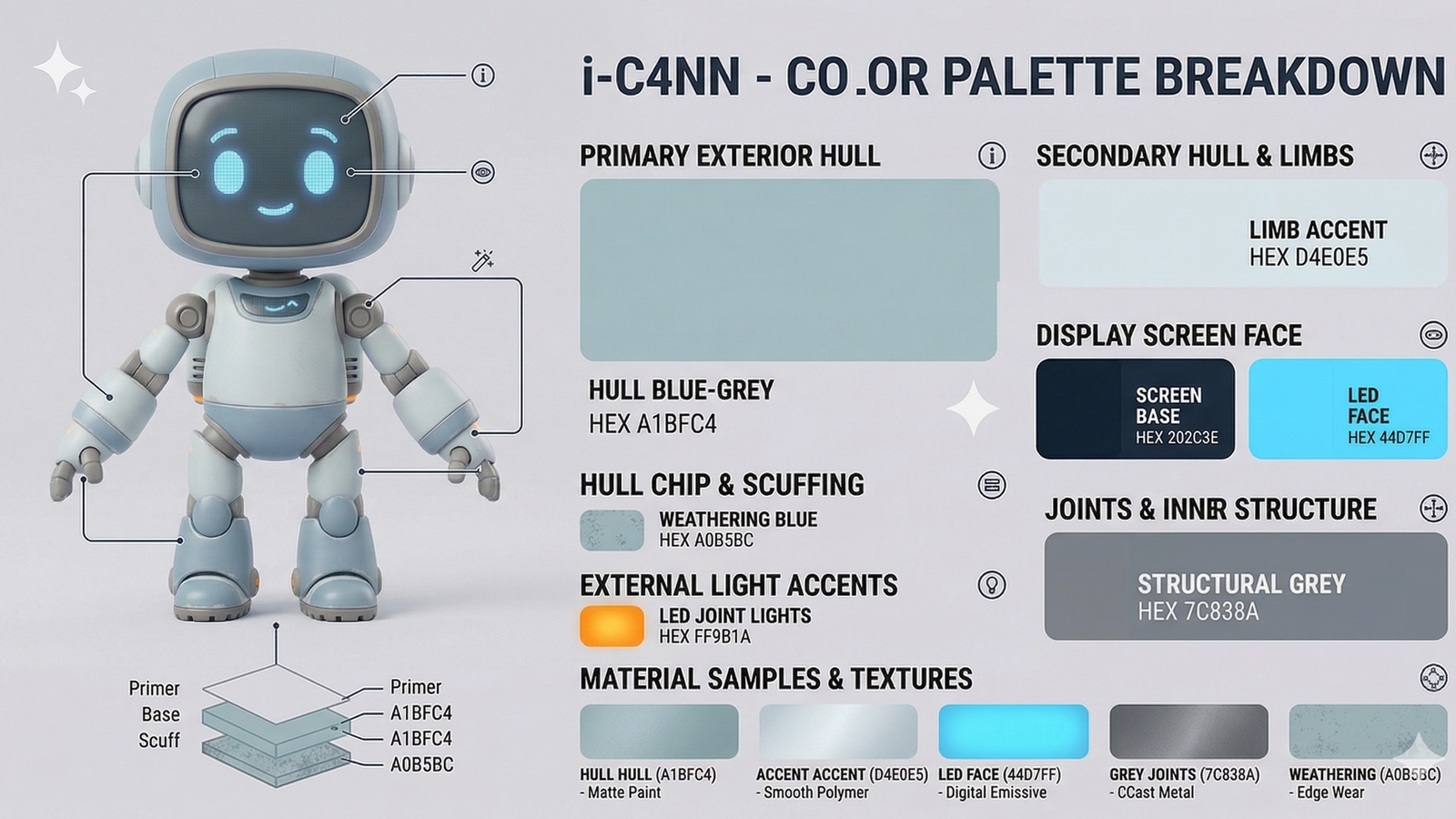
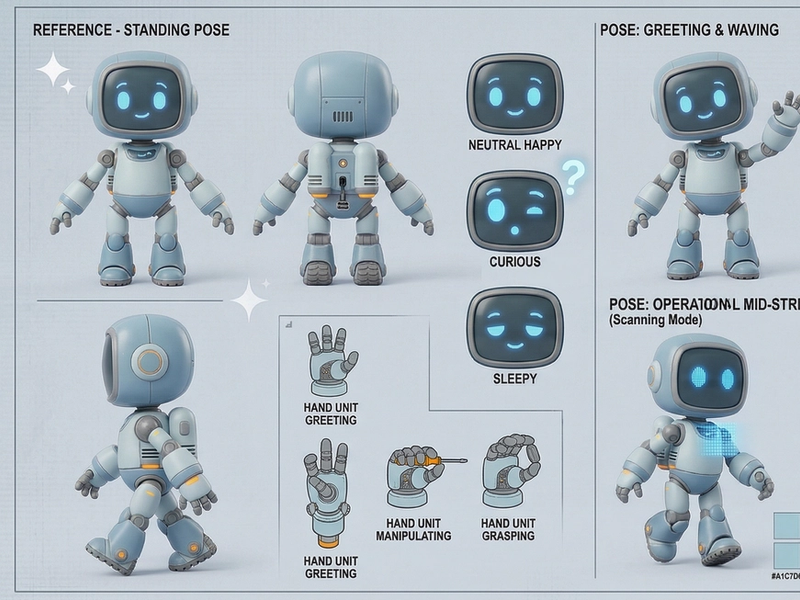
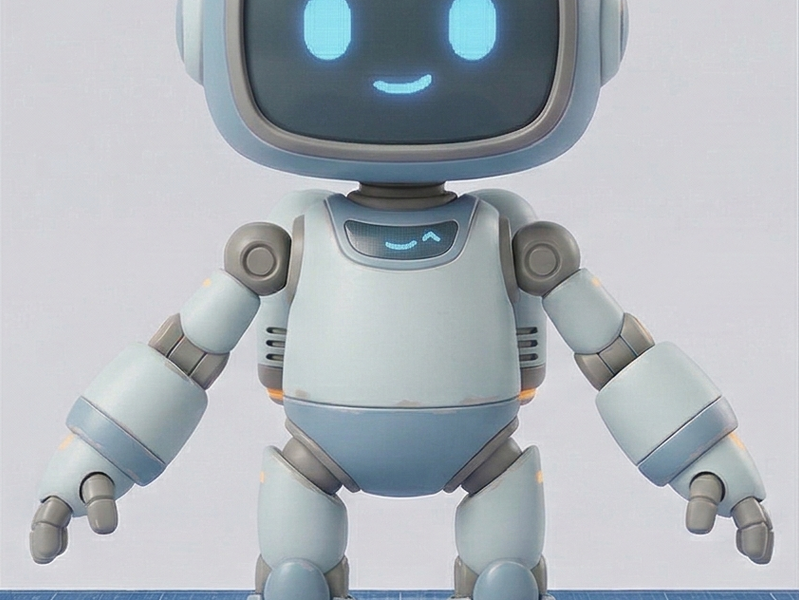
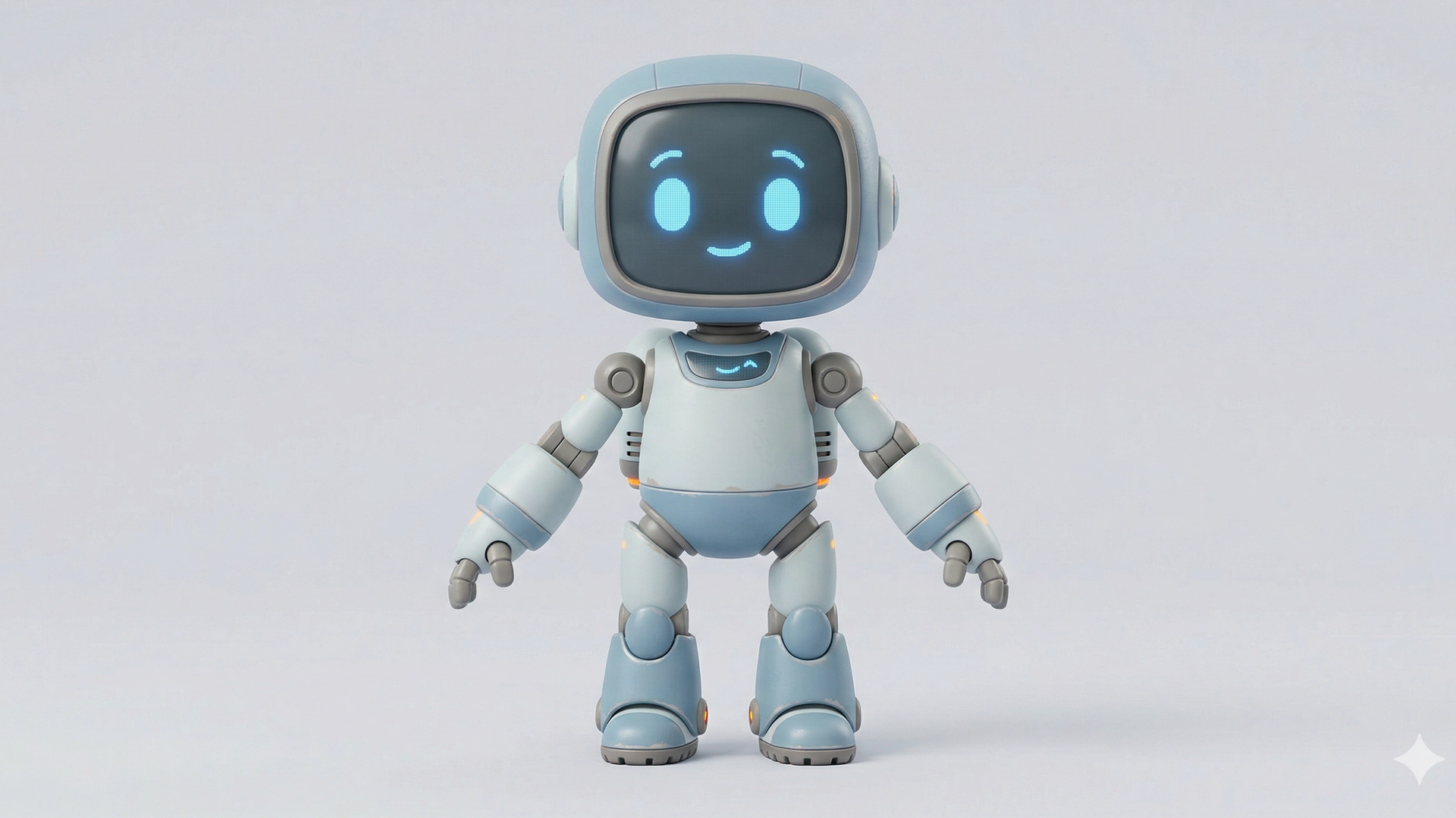
Using a combination of traditional sketching and generative AI tools, I rapidly iterated on character ideas and quickly landed on a solid character reference sheet.
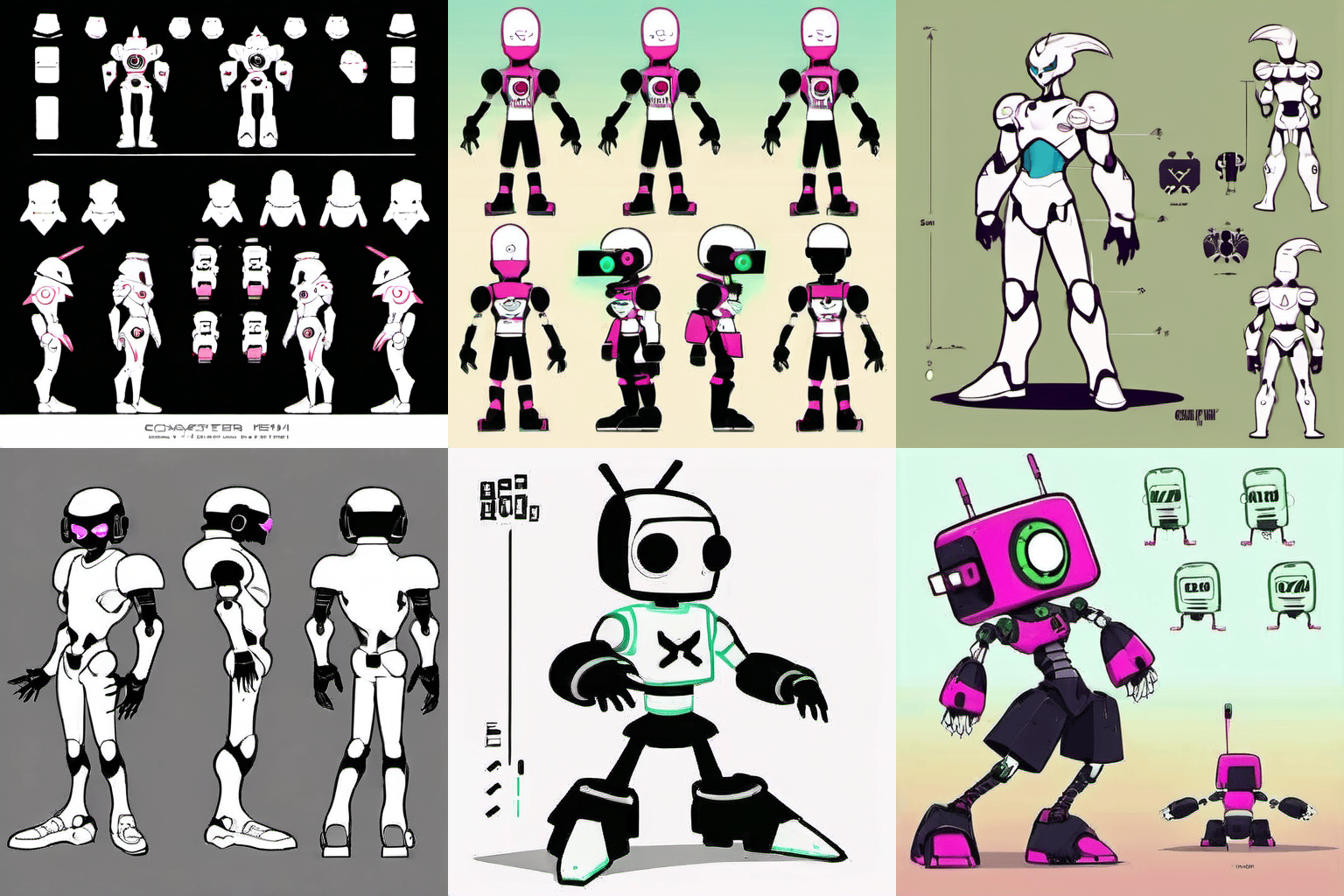
ChatGPT and Gemini were used for directional prompting — establishing style references, background narrative, emotional register, character archetype, and viewport proportions. I used this as a creative brief for the generation phase using ChatGPT, MidJourney, and ComfyUI for concept iteration — evaluating 10–15 character directions in the time it would typically take to produce 2–3 hand-sketched concepts.
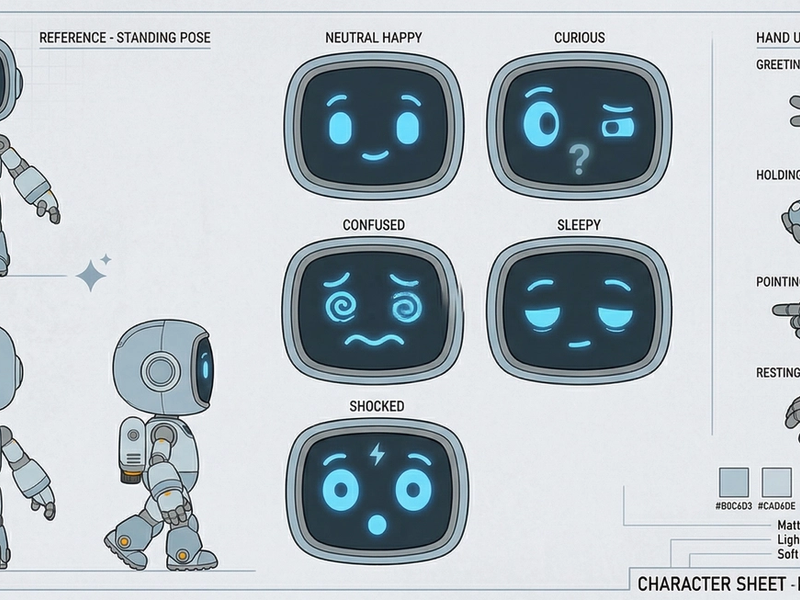
This phase relies on prompt engineering, creativity, and persistence. Image generation tools have come a long way but still require a lot of fine tuning. I use a combination of ChatGPT, MidJourney, ComfyUI, and Nano Banana workflows to produce reference images, character sheets, and expression sheets.
Phase 2 — 3D Production Pipeline
Once a concept was locked, I moved into a structured 3D production pipeline: Nano Banana, Meshy, and Modddif for high-poly mesh generation and texturing, Blender for retopology and texture baking, CC4 for rigging and blend shapes, and iClone for animation layering.
Stage 1 — Meshy (High-poly mesh generation)
Generated an initial 3D mesh from the approved concept direction. Meshy produced a high-poly starting point that captured the character's silhouette and surface detail, serving as the source mesh for baking.
Stage 2 — Blender (Retopology + Texture Baking)
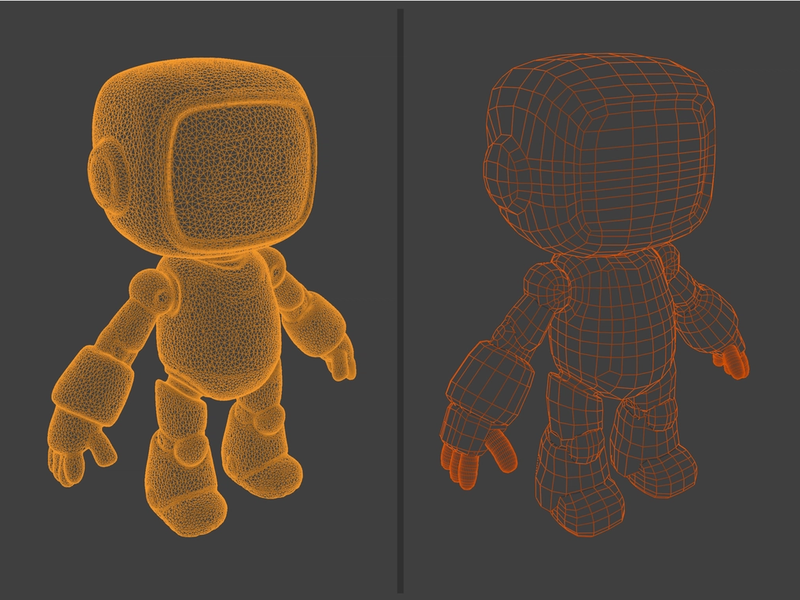
Manual retopology reduced the mesh to a web-appropriate polygon count while preserving the character's visual identity. UV unwrapping and multi-pass texture baking (albedo, normal, ambient occlusion) transferred the high-poly detail to the optimized low-poly mesh.
Stage 3 — CC4 / Character Creator 4 (Rigging)
Applied a production-ready skeleton using CC4's rigging system for precise control over mesh weights.
Stage 4 — iClone (Animation Export)
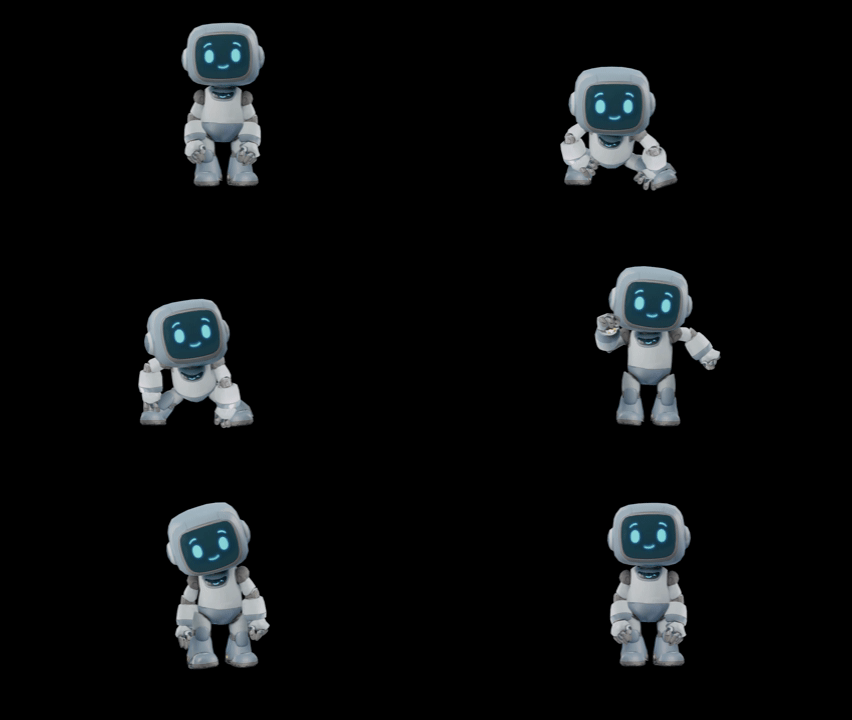
Exported multiple character animations with iClone.
Stage 5 — Spline Scene
Finalized the character loop interaction in a Spline 3D scene, with subtle background and lighting effects.
Web Integration Approach
The final asset was exported as a GLB with baked textures, structured for delivery via Three.js / React Three Fiber. Integration priorities: lazy loading with a lightweight placeholder to prevent layout shift; device-responsive considerations for mobile playback; animation state architecture designed for CSS/JS trigger hookup for future interactivity.
Challenges
4.1 Retopology for Web — Balancing Fidelity and Performance
The biggest technical challenge was retopology. AI-generated meshes are high-poly and not web or animation friendly by default. Going from a generated high-poly, triangulated mesh to a clean, animated, web-optimized mesh required careful manual retopology in Blender — preserving the character's visual identity while hitting polygon budget targets.
I took several tries to avoid this, but if you are going to animate your character you CANNOT skip this step without quality loss. The topology needs to be designed with rigging in mind — edge loops in the right places for clean deformation at joints and facial blend shape regions.
4.2 Texture Complexity
Baking from the high-poly source to the retopologized low-poly mesh required precise UV unwrapping. Errors in UV layout produced visible seams or baking artifacts in the final web delivery. Multiple bake passes (albedo, normal map, ambient occlusion) each required careful setup and quality verification before proceeding downstream.
4.3 Non-Determinism of Generative Tools
Generative AI tools don't produce consistent results across sessions. Early concept iterations required significant curation — some outputs had anatomical distortions or proportions that wouldn't survive retopology cleanly. Developing a reliable prompt structure, reference-feeding strategy, and evaluation criteria was itself an iterative process. Generative AI high-topology meshes and textures sometimes have difficulty with lighting and normal mapping; working with these tools required careful layering and blending to get the desired effect.
4.4 Rigging a Non-Organic Character
Configuring CC4 rigging to support the full range of animation states without mesh clipping or weight artifacts required multiple rounds of testing. The character was a non-organic model, which meant the low-topology model sometimes needed to be split into separate components for proper animation.
Outcomes & Impact
5.1 Deliverables
Production-ready GLB character asset, web-optimized with retopologized mesh. Multiple character animations: character emotes. Character embedded and performing live on the studio website. Documented, repeatable generative 3D pipeline.
5.2 Technical Results
Asset performing within web performance budgets on the live studio website. Specific performance metrics to be documented.
5.3 Strategic Value — The Pipeline
The most significant outcome is the pipeline itself. By mapping and proving the generative AI → retopology → rig → animation → Spline → web export workflow end-to-end, this project created a repeatable template for future character work. The concept-to-deliverable timeline for a comparable character is now dramatically shorter — without sacrificing technical production quality.
The asset's architecture also means the studio can expand the character's interactive behaviors over time without rebuilding — supporting interactive, cinematic, and marketing delivery from a single source asset.
Lessons Learned
6.1 What Worked Well
Generative pipeline, prompt engineering discipline, and the structured phase approach all contributed to a dramatically faster concept-to-deliverable timeline without sacrificing technical production quality.
6.2 What I'd Do Differently
To be detailed as the project documentation is completed.
6.3 Advice for Others
1. Treat prompt engineering as a craft — The quality of generative output is directly proportional to the quality of your prompts. Time spent here pays dividends downstream.
2. Retopology and clean UV maps are non-negotiable for web — Clean manual retopology produces better deformation, better bakes, and better web performance.
3. Build for multiple states from day one — Designing the rig with multiple animation states in mind during the CC4 stage saves significant rework later.
4. The pipeline is the product — Document and refine your workflow. The repeatable process is as valuable as any individual deliverable.
5. Generative AI accelerates; craft delivers — AI compresses the timeline to a usable starting point. The production value comes from what you do with it in Blender, CC4, and iClone.
Key Results
Fast Concept Validation
3x faster
Generated 10-15 concepts in the time it would take to create 2-3 hand-sketched concepts
Web Optimized
Real-Time
Reduced polycount from 1M+ to <20K for performance real-time interactivity
Room for Growth
Reusable
3D model can be used as a base for future marketing stills, 3D prints, etc
Technologies
Gallery